ImagXpress
Give users the ability to capture, process, and manipulate images in their Windows applications, while minimizing CPU use.

ImagXpress is now available only to existing customers.
ImagXpress remains available and fully supported for contract renewals, but will not be offered to new customers. Please visit our ImageGear product line if you would like to learn more about our latest technologies.
Learn More » Questions? Contact Us »
Add image processing and manipulation to your application with ease using our imaging SDK.
ImagXpress offers optimized compression and decompression technology so users can view images faster. Plus, it minimizes CPU use, freeing the server up for other processes. ImagXpress supports 99% of file formats so scanning checks, processing loan applications, or routing digital documents is a breeze. With functions like image editing, conversion, compression, and color adjustment, along with easy-to-implement code and comprehensive code examples, adding image processing and manipulation to your Windows application is easy using this imaging SDK.
ImagXpress Features
Optimized for Performance
Experience Accusoft’s patented speed optimization for processing, manipulating, compressing, and saving large numbers of scanned and uploaded images. Users can process and compress images in real-time while minimizing CPU use.

Dozens of Image Processing Functions
ImagXpress has over 80 functions for image processing and editing, including TWAIN and ISIS supported image capturing, document image processing and cleanup, image and document viewing, annotation, and printing.

File Formats
ImagXpress supports a long list of supported file types.
Enhance your application with fast, powerful, selectable image functions for a long list of supported file types. Support available for vendor-specific Camera RAW – automatic detection and decompression of digital RAW photos. Experience Accusoft’s patented speed optimization for JPEG 2000, and interact with file formats on disk, in memory and through URLs.
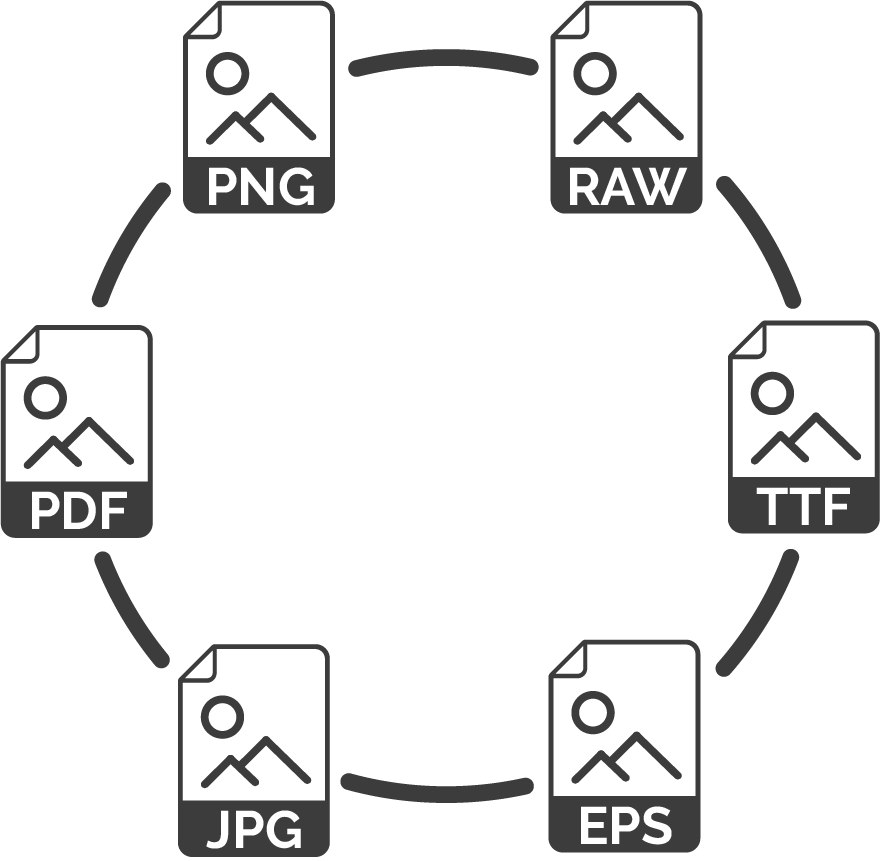
Image Viewing
ImagXpress offers an easy, flexible, memory-friendly way to add thumbnail image display to any application. Supporting a wide range of file formats, ImagXpress seamlessly integrates with annotation control. It displays many non-compliant TIFF images, annotations on thumbnails and even displays thumbnails of PDF files (requires PDF Xpress).
Imaging Features
- Patented enhanced JPEG deblocking for highly compressed images
- Support for ICM Profiles
- Built in window leveling / brightness contrast adjustment
- Rapid image zooming/rescaling
- Streaming image support for progressive image viewing online
Thumbnail Display Options
- Include spacing between thumbnails
- Border width
- Individual cell border color
- Individual cell background color
- Painting order
Other Features
- Touch screen support for touch and gestures for Windows 7
- Unicode support for file names, annotations, and thumbnail descriptors
- Query and update image data (e.g. tags) from memory buffer or IOStream without loading entire image

Photo & Color Image Processing & Editing
Easily manipulate photos and color images to get enhanced image quality and minimal image file sizes. Along with EXIF tag editing that doesn’t affect image data, you can implement image size and scaling functions like autocrop, crop, rotate, scale, zoom and area and region Processing. Also implement image cleanup functions like despeckle, border removal, color deskew, dust and scratch removal from color images, retention of image transparency and Alpha Channel Support ( e.g. alpha, integration, separation).
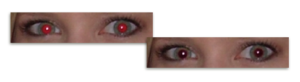
Auto red eye removal automatically detects and corrects red eyes in digital photos with reporting and “confidence level” for each region, supporting automated removal based on set criteria.
Also easily implement image color and light functions like:
- Auto color correction
- Auto lightness correction
- Auto color level
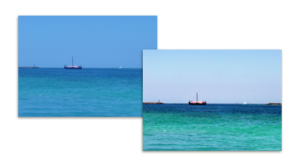
- Color anti-aliasing and smoothing for zoomed images
- Contrast, brightness, hue, saturation, gamma and other display adjustments

Color Matching
Color Matching’s easy-to-use interface allows reflected and emitted colors to be matched for visual parity. This supports monitor and printer profile selection, programmatically specifying rendering intent.

Color Conversion
The Color Space Conversion function uses ICC Color Profile, which is CMYK to RGB and RGB to CMYK conversion for TIFF and JPEG images, including 24, 8, 4, and 1-bit color depth conversions with advanced palette control.

Printing Functions
Layout and printing functions like Photo Collage Layout and Printing; Advanced Merging Capabilities; and Color Proof of printer output prior to printing create a better user experience.

Compression
Developed for numerous industries that can’t compromise on performance or quality, www.accusoft.compression is assembly-optimized. A team of scientists including members of the JPEG committee developed and optimized our compression solutions for JPEG 2000, Lossless JPEG, JPEGLS, Progressive (lossy) JPEG, Sequential (lossy) JPEG, JPEG XR, and many other compression formats. We have the fastest compression and decompression solutions in the world.
Document Image Processing & Editing
Empower your applications to perform a broad range of image cleanup, correction and transformation functions. Choose from a comprehensive set of over 80 image processing functions. Extend objects vertically, horizontally or diagonally by using Dilate to add black pixels; or erode bitonal images by removing black pixels from objects. Experience the “Preserve Dark” detail enhancement (many pixels are averaged for the one displayed).
Color Anti-Aliasing and Smoothing functions for zoomed images includes Smooth Zoom, which enhances clarity by replacing small images with larger, smoothed images.
With other easy-to-use functions, like Blank Page Detection; contrast, brightness, hue, saturation, gamma and other adjustments; Degree Rotation of Bitonal Images using Shear; Area and Region Processing; Image Transparency Retention and more, your document imaging application for Windows can be completely customized.
Other popular features include:
Auto Features
- Autocrop, Automatic Deskew, Despeckle, Line Removal
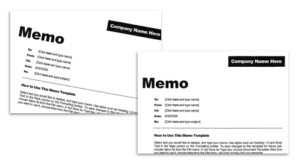
- Auto Binarize using image analysis and optimized settings when converting to a bitonal image
- Automated 1 bpp image cleanup
fine tuning features
- 24, 8, 4, and 1-bit color depth conversions
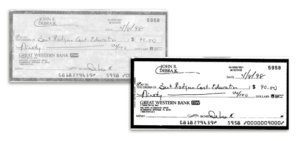
- Hole Punch & Blob Removal with results reporting
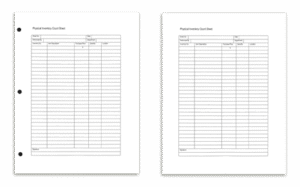
- Border Crop on bitonal images
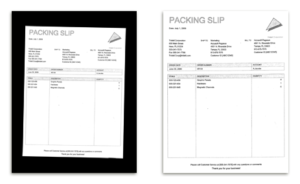
- Anti-Alias and Scale to Gray
- Avoid losing details in fine lines or fine text

Edition Descriptions and Included Components
Match ImagXpress to your development/server environment for maximum efficiency and reliability. The ImagXpress .NET toolkits are available in two editions. The availability of multiple editions allows you to access the features and functionality that best address your imaging requirements. Features within each edition are unlocked based on the registration license.
To help decide which edition of ImagXpress is right for you, please see the ImagXpress Edition Comparison web page.
ImagXpress .NET (AnyCPU) v13.1
- Professional
- Standard

Tools
With ImagXpress, you can easily add viewing tools like magnify and pan, custom cursors and much more.
- Hand tool, magnifying glass, pan and zoom, rubber band, rectangle (area and region), elliptical and free hand selection
- Create custom cursors
- Right click pop-up menu, including image information dialog, tool selection, zoom
- Automated support to maintain the aspect ratio for images with differing horizontal and vertical resolutions

Annotation
A comprehensive menu of annotation and redaction functions empowers users to mark up documents and images. With fully-programmable annotation support, you can add annotation and redaction capability to applications. The XML multi-page support allows for import and export of annotations via file or memory. In conjunction with PDF Xpress, PDF annotation import and export using XFDF via file or memory is possible!
Features
Read and write the Wang/Kodak TIFF annotation format, and store all annotations in either TIFF files or in external files. Unicode (double-byte) characters are supported for languages with extended character sets. There is even support for reading annotations from Stream.
Standard annotation objects include ruler, freehand, text, rectangle, ellipse, polygon, line, polyline, image, and rubber-stamp. You can add, delete, query, and manipulate annotation elements programmatically.
Other Features
- Support multiple layers
- Create, display, save, restore, and password-protect annotations in independent layers
- Add notes, block highlight, tooltip text support for individual annotations, and autosize
- Brand annotations into images
- Print annotations with the image
- Support opaque, translucent, and fully transparent backgrounds for notations
- Support opaque and translucent notations, useful for watermarking
- Lock and unlock annotation data to locations in the control rather than the image, enabling navigation without moving the annotations (such as patient name and ID)

TWAIN Scanning
Tap the full power of TWAIN-compatible devices through comprehensive TWAIN function support. ImagXpress provides comprehensive support for the latest TWAIN devices including scanners, digital cameras, and video capture boards. It works with multi-page and single-page scanning, with configurable parameters. You can access the device’s capability settings and configuration dialog.
It easily works with TWAIN v1.6, v1.7, v1.8, and v1.9 and quickly defines the TWAIN transfer mode. Support for TWAIN v1.9 and v2.0 standards, including 64-bit TWAIN support is available. The display is controlled programmatically. Users can acquire images from TWAIN scanners and digital cameras using the included TwainPRO component.
Read and write basic G3/G4 TIFF, JPEG, BMP, and PackBits. The speed-optimized TIFF writing enables faster creation of large multi-page TIFFs. Scan TIFF images with JPEG compression, and even save scanned images to PNG. Scan images faster and use less memory by transferring images from the data source in either Native or Buffered Memory transfer mode. You can also save/compress to JPG, J2K, JBIG2, and TIFF-G4 within PDF files.
*ISIS add-on available through ISIS Xpress
**Unicode (double-byte) characters are supported for languages with extended character sets
Negotiate for all standard device features, such as:
- Image Dimensions
- Location
- Resolution
And all optional device features, such as:
- Autofeeder enabling
- Brightness
- Contrast
- Image layout/frame
- Maximum image transfers
- Progress indicators
- Resolution
- Scaling
- Units

Printing
Maximize image print quality and control while minimizing the time and effort required to integrate print functions. Add powerful printing features to applications with just a few lines of code.
Print to File, including multi-page TIFF and multi-page PDF output (containing G4 compressed image data). Single and multi-page documents are supported. Even access the ability to print single or multiple Device Independent Bitmaps (DIB) and Device Dependent Bitmaps (DDB) on any page while automatically maintaining the bitmap’s aspect ratio to print large images at any size.
Other features include:
- View and change printer properties, including default printer, bin, paper size, orientation, duplex mode, and more
- Cancel print jobs that have been previously sent to the printer
- Support Color Management
Camera RAW File Formats Supported by Accusoft Within ImagXpress
This chart lists the Camera RAW file formats supported by Accusoft within ImagXpress.
This list is not all-inclusive. It is a list of the makes and models of cameras known to be supported. Accusoft’s decompression engine tries every possible combination to open RAW files, and may open RAW files from other cameras if they happen to use the same format as one of those listed below.
Please test your own images by evaluating the full-featured trial SDK.

ImagXpress file format support in each edition
R = Read, W= Write
PROFESSIONAL supports all file formats, including multi-page formats.
STANDARD supports a more limited set of file formats, including many multi-page formats.
ImagXpress Development Environments
We support the following platform:
-
- .NET
Tech Specs for ImagXpress
ImagXpress enables you to easily add image processing to your Windows applications. With ImagXpress, it’s easy to integrate and use the image processing libraries. In less than 50 lines of code, you can add an image file viewer with thumbnail and annotation support. The trial version of this imaging SDK includes full documentation and sample code.
Detailed Technical Specs
Technical Notes .NET
- Sample code is included for C# and VB.NET
- Can be used in multi-threaded applications
- Creates .NET AnyCPU applications for use in both 32 and 64-bit environments
- Deploys within .NET as a managed control and is fully compliant with .NET Framework 2.0, 3.5 and 4.0
Programming environments include:
- Visual Studio 2017
- Visual Studio 2015
- Visual Studio 2013
- Visual Studio 2012
- Visual Studio 2010

Innovative companies trust Accusoft